
Home / Buying guides
How to order through RizzitGO
The official seven-step sequence, with its nine public guide images in source order. These are published interface examples, not a logged-in purchase test. Guide text was captured on 17 October 2026; the image files were fetched again on 18 October.
Before you start
Create or sign in to your account on the official RizzitGO site. Keep your delivery address accurate and read the terms shown during registration. Save the listing link, selected option and seller’s answers; a screenshot cannot prove the composition or authenticity of the eventual item.
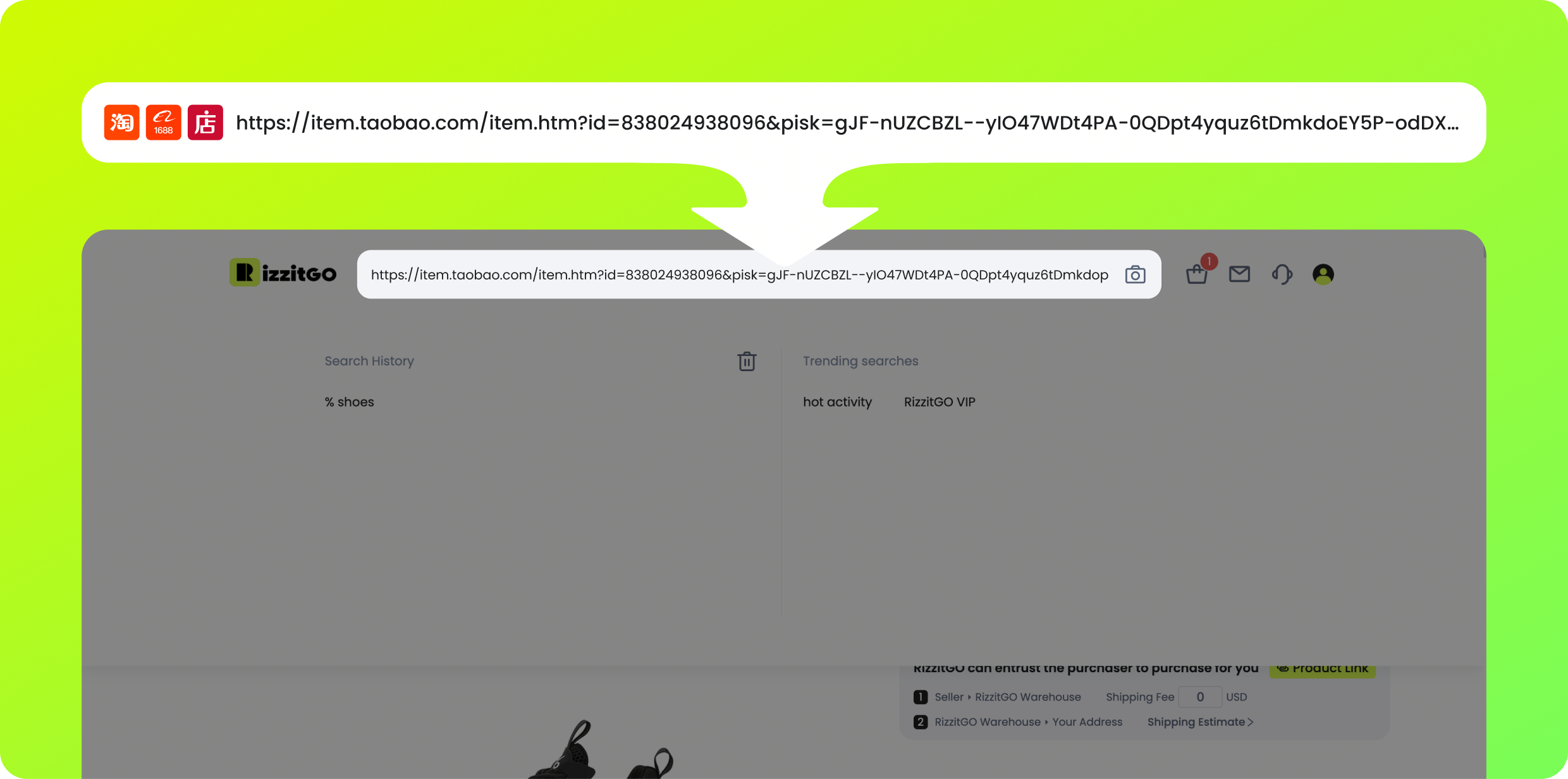
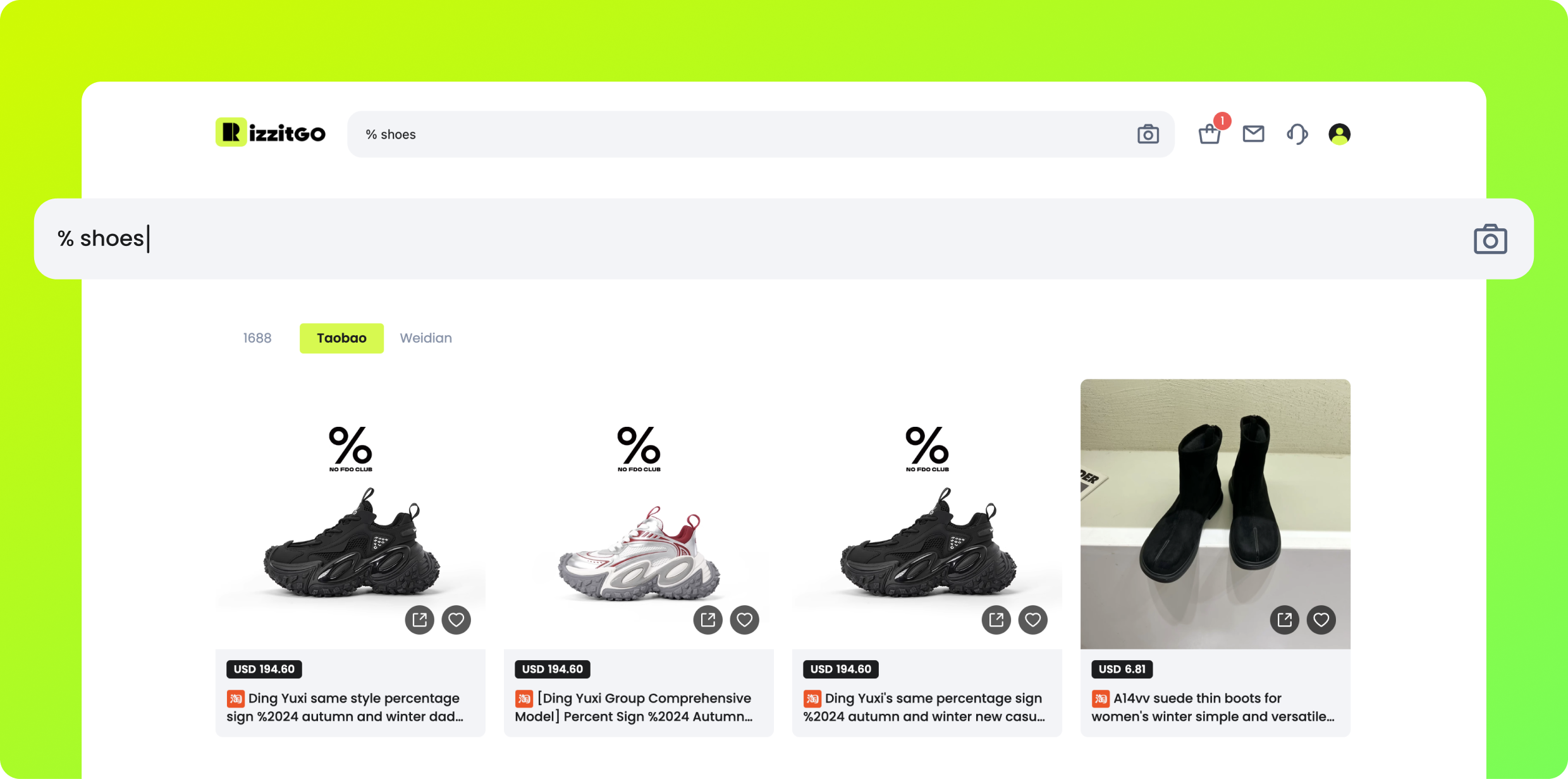
1. Search
Start with a product link from Taobao, Tmall or 1688, or search by keyword. A catalog card leads you to a listing; it does not reserve stock. Compare the seller’s current description and the exact size/color option. If material matters, save its composition line before paying.
2. Buy & Checkout
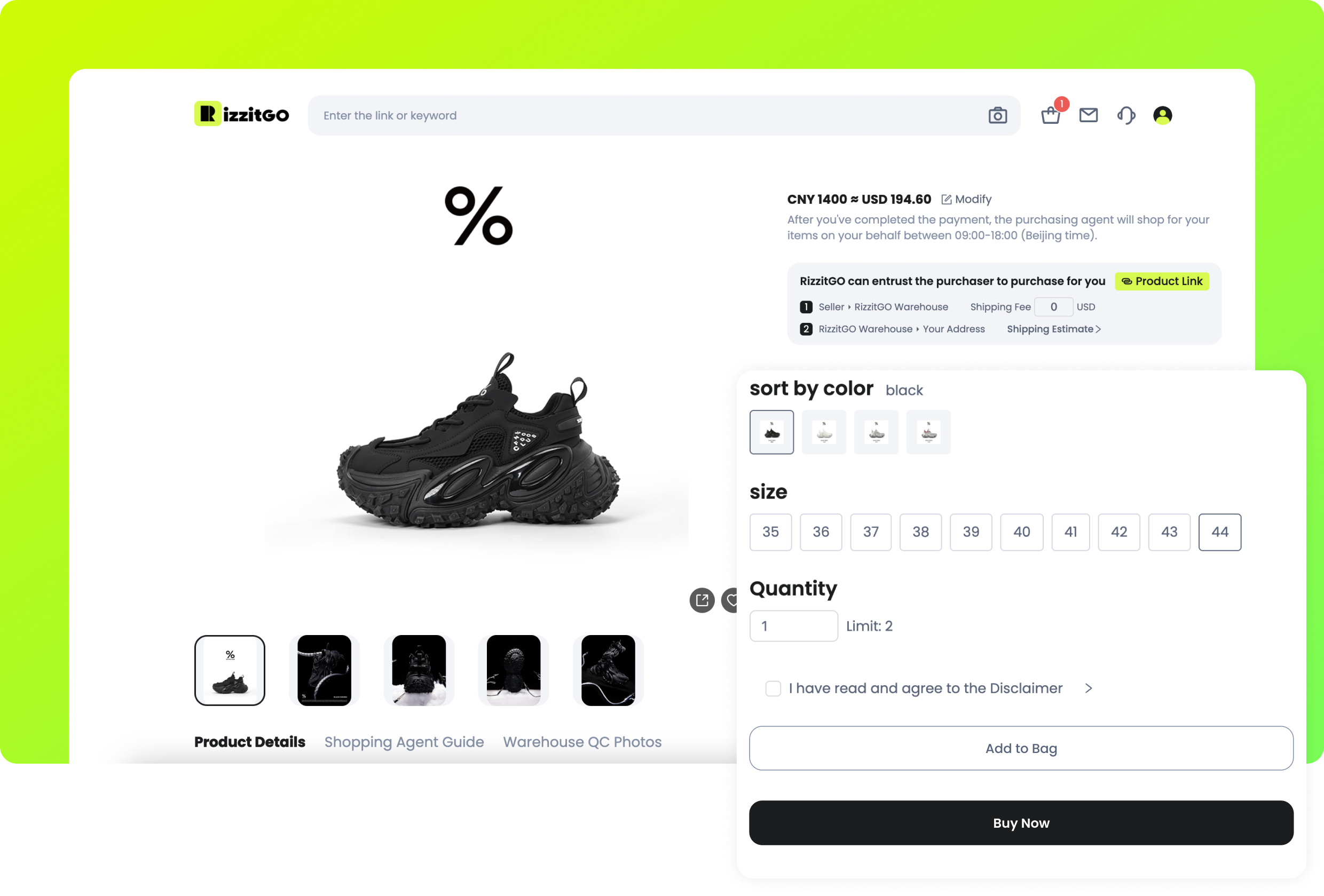
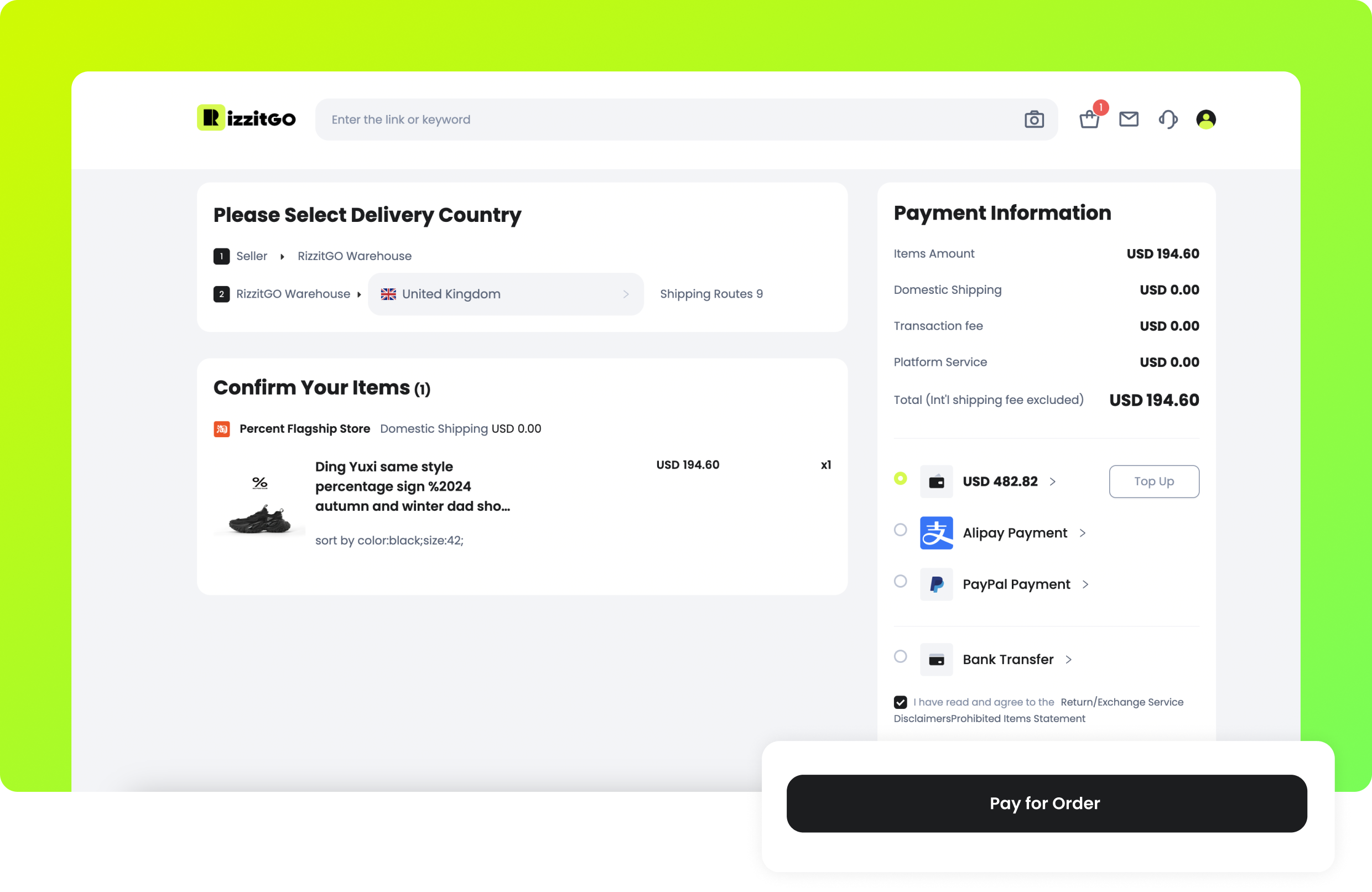
Choose color, size and quantity, then Add to Bag or Buy Now. This payment covers goods and domestic delivery to the warehouse; international shipping comes later. Check the order summary, payment fee and currency conversion before confirming. The screenshot’s PayPal and Alipay options are old UI examples: neither appeared in the public payment list checked on 17 October 2026. Your current checkout determines availability.
Example: ordering the knit you actually compared
A seller may list several colours or fibre variants under the same product link. Choose the exact option, save its composition wording and measurements, and compare the checkout specification with that record. The material reader explains the words you enter; it does not confirm that the seller’s claim is accurate or that the received item will match it.
Before the first payment, check quantity, product amount and the relevant local charges. If your request depends on a specific yarn or feature, ask before purchase. Read any later message about stock or substitution instead of assuming that a payment authorises a different version. Keep the original description for the warehouse comparison.
3. Purchase
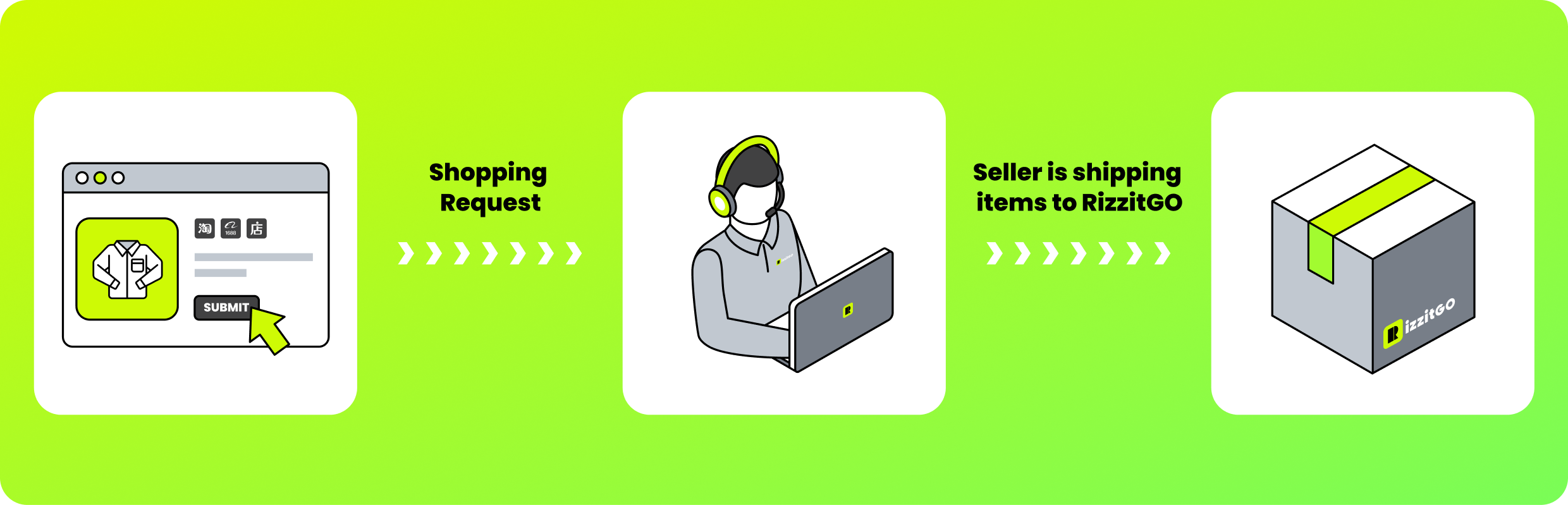
RizzitGO’s buying staff place the seller order. Check order messages in case a variant is unavailable or the agent needs more details. The official guide places “order enquiry” at this stage: send an exact question and refer to the item/variant. If the answer would change whether you buy, resolve it with support before authorizing purchase.
4. QC & Storage
Once the seller’s parcel reaches the warehouse, RizzitGO describes checks and photos in Warehouse. Inspect the variant, visible defects and useful labels; request a specific close-up if necessary. The guide says 1688 purchases have a different QC standard but does not define it. Customized photography and services such as shoe-box/tag removal are paid extras; ask for the price first. Ordinary storage is 60 days free, with paid extension available near expiry. This does not extend a return deadline.
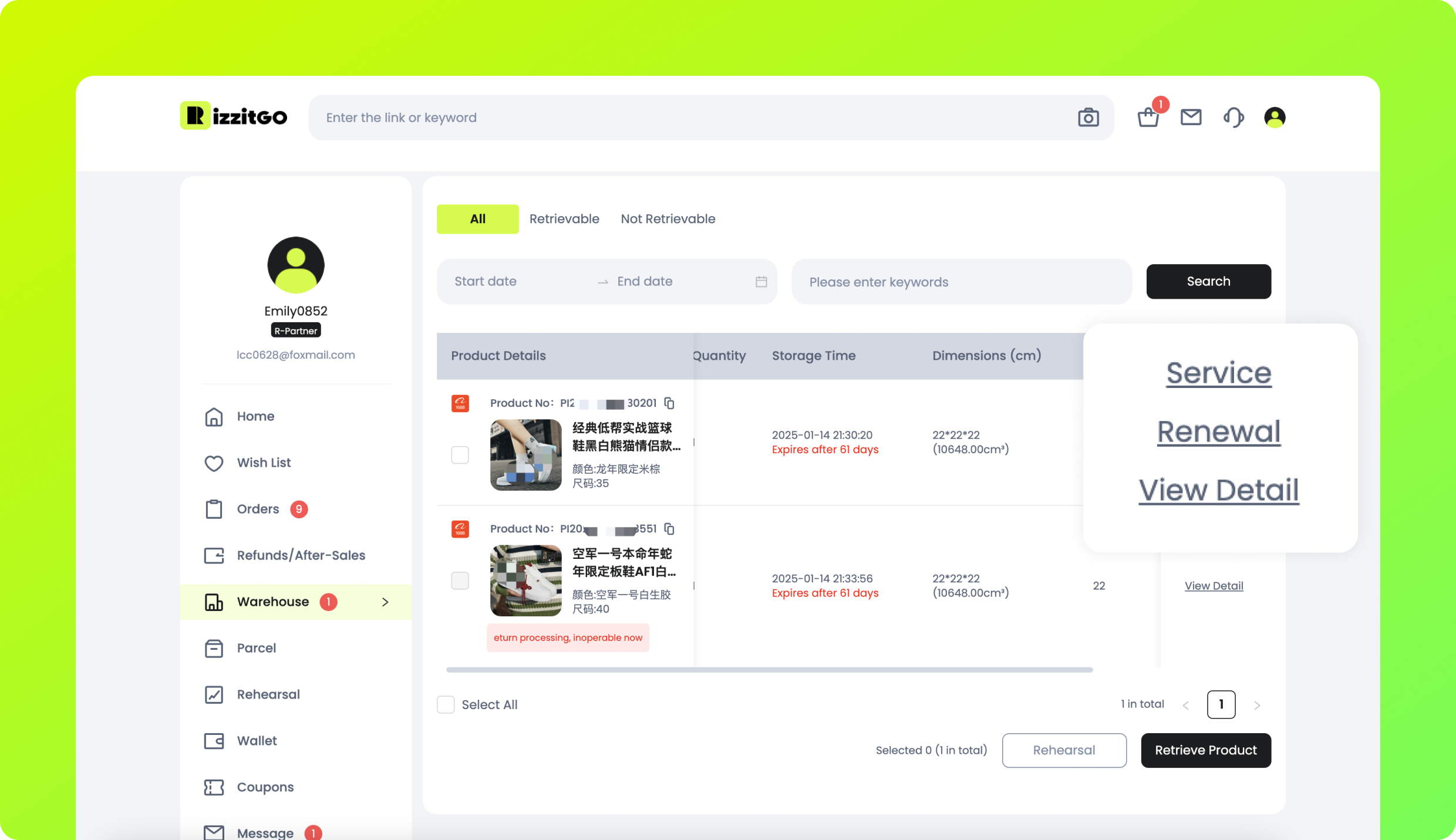
There are two checkouts because there are two journeys
The first payment purchases the goods and covers the relevant domestic delivery and buying charges. The seller then sends the order to the agent’s warehouse in China. You review that arrival before choosing an international parcel. The second payment depends on your chosen shipping service, packed size, weight and extras, with destination charges considered separately where applicable.
For clothing QC, compare the label and a useful garment measurement with the saved listing. A tape laid across a chest is different from a measurement around a body. Ask for the exact missing view rather than a vague request for better quality. Photos can show a wrong colour or visible fault; they cannot confirm fibre percentages, wear comfort or every seam’s durability.
5. Retrieve Products
In Warehouse, select the items you want to ship and use Retrieve Product. Enter the recipient address, compare available routes and review packing and insurance choices. The initial shipping payment is an estimate; final carrier weight and dimensions determine settlement, with differences handled through the account wallet as described in the guide. Keep an essential tag or box if you may still need a return.
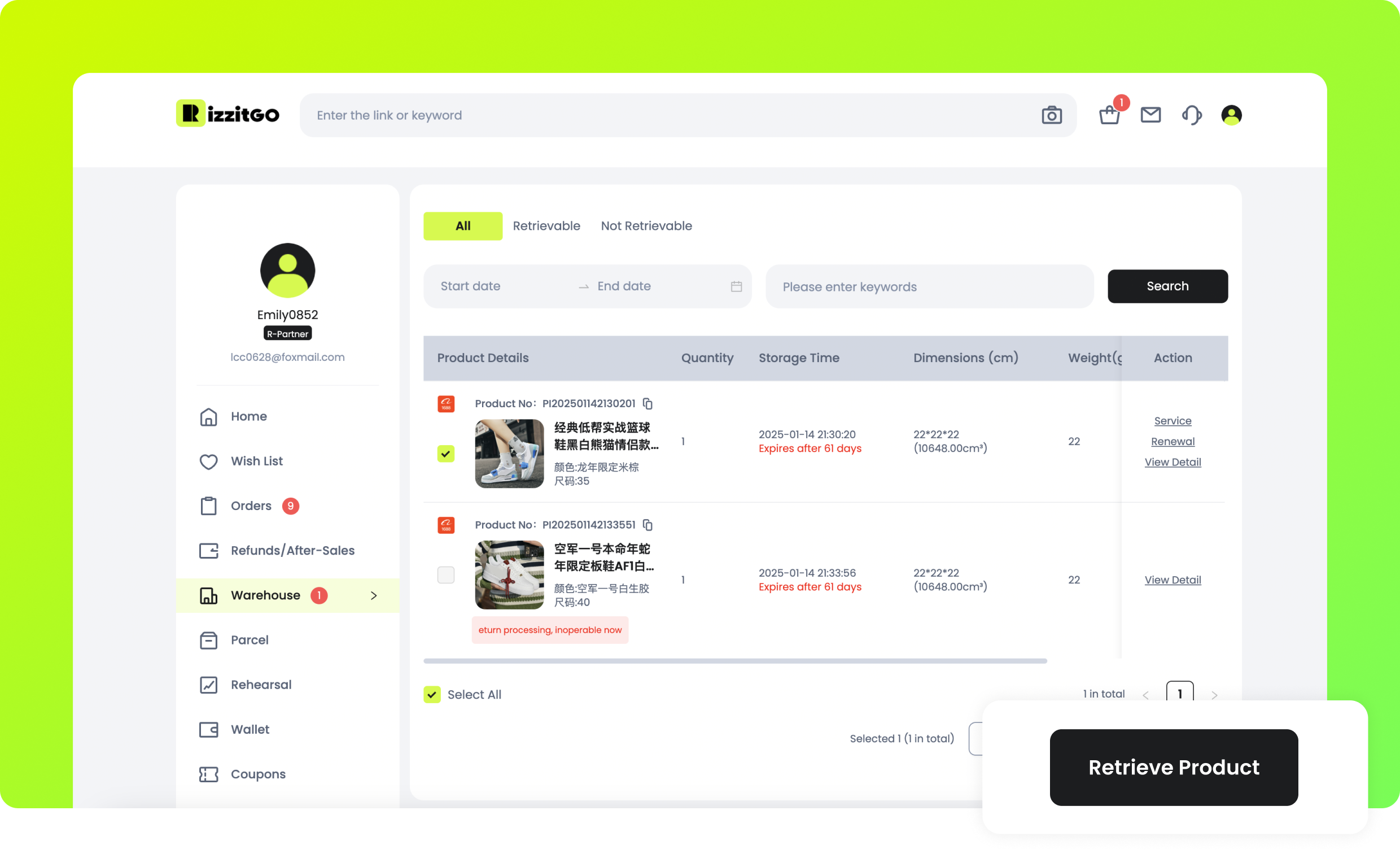
Pack for the item’s needs
After checking the goods, decide which items travel together and what packaging remains. A bulky puffer, delicate knit and rigid accessory do not necessarily benefit from the same packing treatment. Ask about a proposed compression or box-removal service if it could affect the goods or an unresolved return.
Compare suitable routes using the actual contents and packed dimensions, not the category photograph or a bare-item weight. International freight is the later payment; keep applicable conversion, requested extras and destination costs in the overall budget. A combined parcel can reduce repeated charges while increasing volume, so evaluate the result instead of assuming consolidation always saves money.
6. Delivery
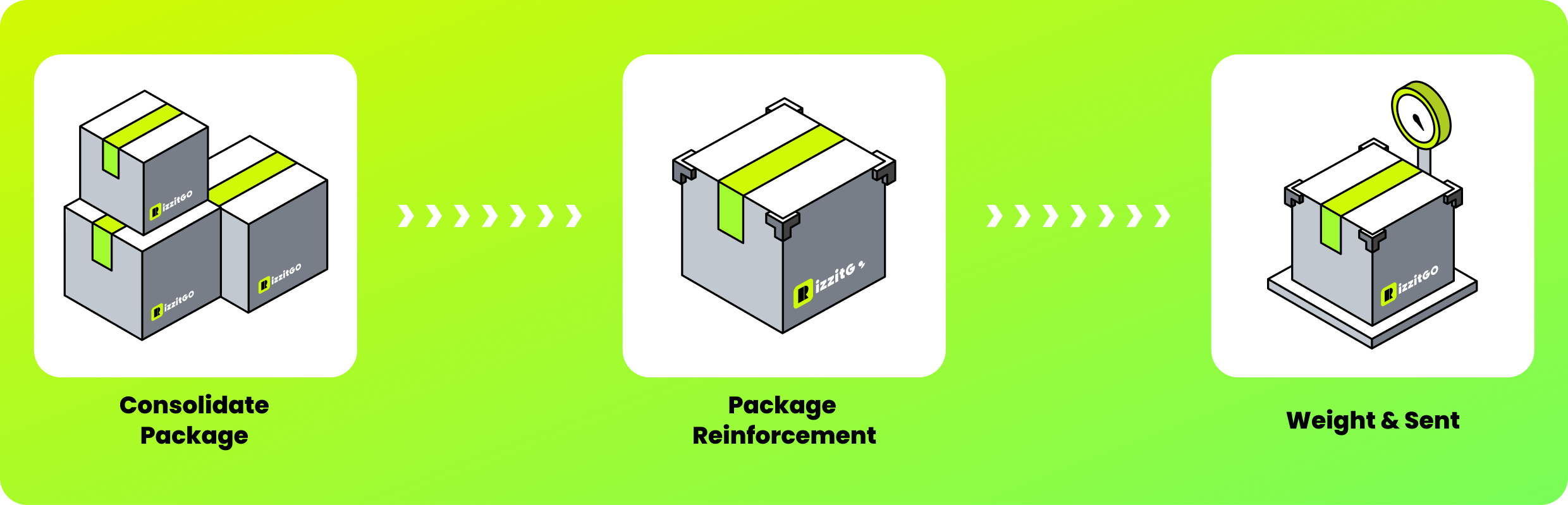
The warehouse consolidates, packs, weighs and dispatches the parcel. Open Parcel details to follow tracking. A tracking number can precede the carrier’s first scan. Check your selected route’s estimate and contact support when its stated investigation conditions apply; a generic transit range is not a delivery guarantee.
7. Receipt & Shine
After delivery, inspect the package and goods, then use Confirm Receipt in the parcel area. Keep the packaging and evidence if something is missing or damaged. The insurance notice asks for a complete unboxing video for missing-item claims. Use the relevant order or parcel after-sales channel promptly. The guide’s sharing step is optional; it does not resolve an after-sales case.
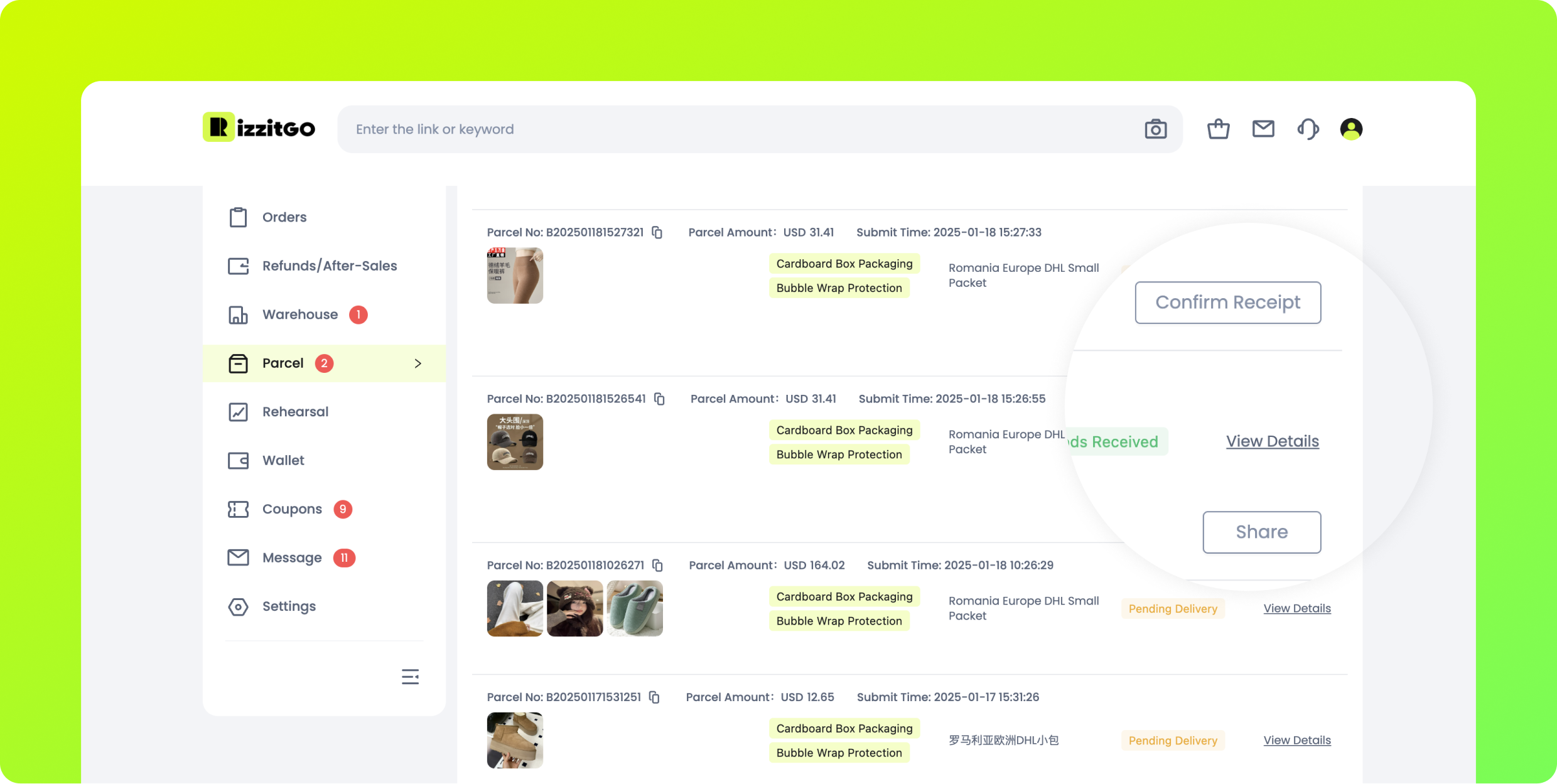
Compare the received garment with your saved evidence
At delivery, check the item list, labels and visible condition against the order and warehouse record. If there is a problem, preserve the packaging and document the difference promptly for the appropriate support process. An issue seen only after wear may need different evidence from a visible delivery defect.
A fabric word, a photograph and a hands-on wearing impression answer different questions. Keep that distinction when describing a complaint. Confirm receipt and consider optional sharing only after the relevant checks; redact private delivery details from anything published. Follow the actual reporting conditions rather than treating a public post as a substitute for an after-sales request.
Read the conditions before the next payment
Fees, exchange rates, storage and route decisions explain costs the product price leaves out. The warehouse inspection guide separates purchased-goods photos from forwarding inspection terms and explains return exclusions.
Source: RizzitGO How It Works. Example products, account details, balances, storage dates and route names in these official images are illustrative. They are not this site’s orders or current offers.